
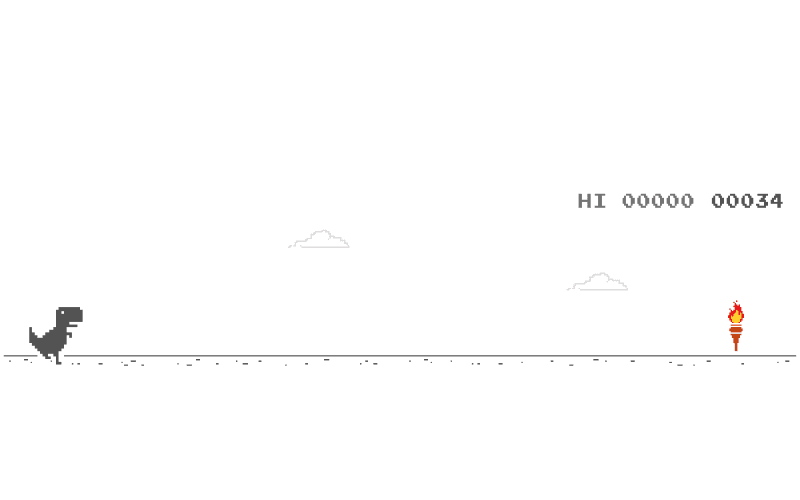
Press Space to start the Dinosaur Game run and jump.
To turn on Dinosaur Game, open Chrome and go to chrome://dino then press Space (or tap on mobile), or simply go offline, load any page to trigger the dinosaur screen, and start playing, with bookmarking as an optional shortcut for faster access.
If Dinosaur Game won’t start, use updated Google Chrome, check for device restrictions, and ensure you’re truly offline, then take a quick Level Devil break before retrying for a higher score.
Need the fastest methods and fixes for How to turn on Dinosaur Game on any device? Read the full guide below.
The Dinosaur Game, often called the Chrome Dino or T-Rex Game, is a built-in mini game in Google Chrome.
Originally, it appeared as a playful offline screen when Chrome could not reach the internet, turning a frustrating moment into a quick challenge. The game is intentionally simple: jump over cacti, duck under birds, and survive as speed increases.
That simplicity is also why the keyword How to turn on Dinosaur Game stays popular worldwide.
It is a universal “fast break” game that works on school laptops, office computers, and personal phones without installs.
How to turn on Dinosaur Game in Chrome (the most reliable ways)
This is the most direct option because it does not depend on your connection failing.
Open Google Chrome
Click the address bar
Type chrome://dino
Press Enter
Press Space (or tap on mobile) to start
If your goal is simply to play, this is the cleanest method.
If you want the original offline experience:
Turn off Wi-Fi or disconnect your ethernet
Open Chrome and try to load any website
You will see the offline page with the dinosaur
Press Space to begin
This is also useful if chrome://dino is blocked by a managed network policy.
Some users keep a tab pinned to the offline dinosaur page.
Open chrome://dino once
Bookmark it or keep it pinned
Next time, open the bookmark and press Space
This is a good approach for quick breaks because it removes setup steps.
Related: Dino Game Top Score Tips to Beat the Leaderboard
Mobile behavior varies slightly by device, but the basic flow is the same.
Turn on airplane mode or disable mobile data and Wi-Fi
Open Chrome
Try to load a page
Tap the dinosaur to start (or tap the play prompt)
Disable Wi-Fi and cellular data temporarily
Open Chrome and attempt a webpage
When the dinosaur page appears, tap it to start
If you cannot get the dinosaur page on iPhone, it may be due to how the network failure screen is displayed.
In that case, use chrome://dino if supported in your version of Chrome, or play a browser based Dinosaur Game version.
If you typed chrome://dino and nothing happens, or the dinosaur page does not show, these are the usual causes:
Some browsers look similar, but the built-in dinosaur is a Chrome feature. Confirm you are using Google Chrome.
Update Chrome. Some older builds behave differently, especially on mobile.
Managed devices may block internal chrome URLs. If chrome://dino is restricted, the offline method may still work, or you may need a browser based Dinosaur Game Unblocked site.
If you are on a captive portal, VPN, or partial network, Chrome may not display the offline dinosaur. Turn off both Wi-Fi and mobile data to force a clean offline state.
Sometimes you want the same “quick reset” energy as Dinosaur Game, but with more surprise and variety. That is where Level Devil fits naturally.
It is a reflex heavy platformer that forces you to react to unexpected traps, which can refresh your attention when you are tired of repeating the same jump rhythm.
Take a short break and play Level Devil, then come back and try to beat your Dinosaur Game high score with sharper timing.
Open Chrome and type chrome://dino, then press Space to start.
The original dinosaur game is associated with Chrome. Other browsers may not include it, but you can still play browser versions online.
Your device may still have partial connectivity, a VPN, or a captive portal. Turn off both Wi-Fi and mobile data, then reload.
Yes. On mobile Chrome, go offline and load a page, then tap the dinosaur to start.
Most versions do not have a true pause. If you switch tabs or lock your phone, behavior may vary by device.
Press Space. It starts the run and triggers jumps.
If you want the fastest solution for How to turn on Dinosaur Game, use chrome://dino and press Space.
If that is blocked, go offline and open any webpage to trigger the dinosaur screen, then start playing immediately.
And if you want a quick reflex reset between score attempts, play Level Devil for a few minutes and come back sharper.