Many people discover the Chrome dinosaur game by accident during internet outages, but later wonder how to access it anytime they want. That leads to one popular search: how to turn on Dino Game.
The good news is that the game is extremely easy to launch once you know the right methods. You do not actually need your internet to disconnect anymore. Google allows players to access the famous dinosaur runner directly through the Chrome browser in several different ways.
Whether you want to play during a break, avoid boredom at school, or simply challenge your high score, this guide explains everything you need to know about starting the game quickly.
Players using Dinosaur Game Unblocked often enjoy the same classic endless runner experience without needing to disable their internet connection first.
The easiest answer to how to turn on Dino Game is simple:
👉 Open Google Chrome and type:
chrome://dino
into the address bar.
Press Enter, and the dinosaur game instantly appears.
From there:
The game immediately starts running.
This method works even if your internet connection is active.
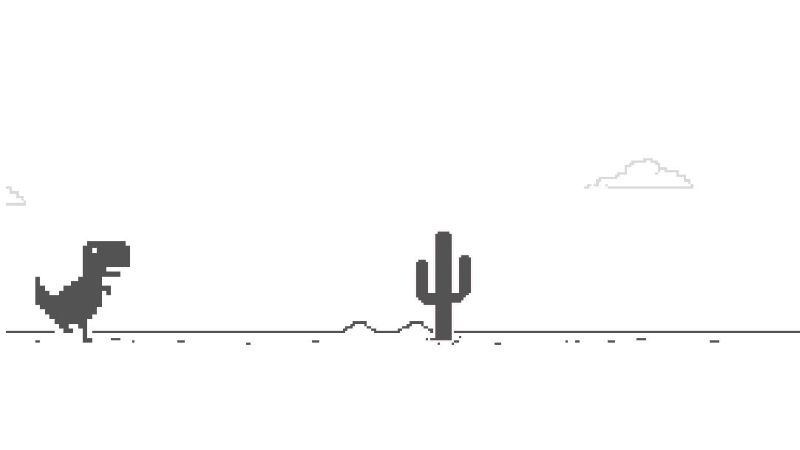
The Chrome dinosaur game is a built-in endless runner hidden inside the Google Chrome browser.
The game features:
The goal is simple:
Even though the game looks minimal, it became extremely popular because of its simplicity and accessibility.
Originally, Google created the game as an offline feature for Chrome users.
When internet access failed, Chrome displayed:
Players eventually discovered that pressing Spacebar started a hidden mini-game.
The dinosaur became a symbol of surviving the “prehistoric age” without internet access.
Over time, the game evolved into one of the most famous browser mini-games ever made.
Many people still think the game only works offline. That is no longer true.
This is the fastest modern method.
Steps:
chrome://dinoNo internet disconnection required.
The classic method still works.
Steps:
The dinosaur starts running automatically.
Many websites now host playable versions of the game online.
These versions often include:
This is why many players search for Dinosaur Game Unblocked during school or work breaks.
The controls are extremely simple.
The simplicity is one reason the game became so addictive worldwide.
The Chrome dinosaur game succeeded because it combines:
Players do not need:
You simply press Space and start running.
That instant gameplay loop helped the game spread across schools, offices, and casual gaming communities.
At first, the game feels easy.
But over time:
The challenge comes from maintaining focus for long periods.
The longer you survive, the harder the game becomes.
If you already know how to turn on Dino Game, the next step is improving your score.
Many players panic when the game speeds up.
Instead:
Flying enemies appear at different heights.
Sometimes:
Recognizing patterns helps a lot.
Small jumps recover faster.
Overjumping can:
Controlled movement is better than panic jumping.
The Dino Game rewards rhythm and consistency more than random reflexes.
Short practice sessions improve:
That is one reason endless runners remain popular on platforms like Crazy Games Unblocked, where players enjoy fast skill-based browser games.
Technically, the game does have a maximum score:
After that, the counter resets.
However, reaching this score is extremely difficult and requires:
Most players never reach the limit.
Yes.
As your score increases:
These small visual and gameplay changes help keep runs interesting.
The game became famous partly because:
That simplicity made it a favorite casual browser game worldwide.
Players often search for Dinosaur Game Unblocked because they want quick entertainment during breaks without downloading large games.
Open Chrome and type:chrome://dino
Then press Enter.
Yes. Many browser versions exist online without requiring offline mode.
No. The original version works offline, but modern methods also work online.
The score counter maxes out at 99,999 points.
Practically yes. The game continues increasing speed until the player crashes.
So, how to turn on Dino Game?
The easiest modern method is simply typing:chrome://dino
into Google Chrome.
From there, press Spacebar and start running.
The Chrome dinosaur game became iconic because of its:
Whether you are casually playing through Dinosaur Game Unblocked or exploring browser games on Crazy Games Unblocked, the Dino Game remains one of the most recognizable and addictive mini-games ever built into a web browser.